
Desktop applications
Label. Train. Process.
Kaax Labeling turns your orthomosaics into datasets and trains your models. Kaax Desktop runs them over your flights. Both run on your computer and sync with your account.
Kaax Labeling · Agritech Dataset Studio
Collaborative labeling platform
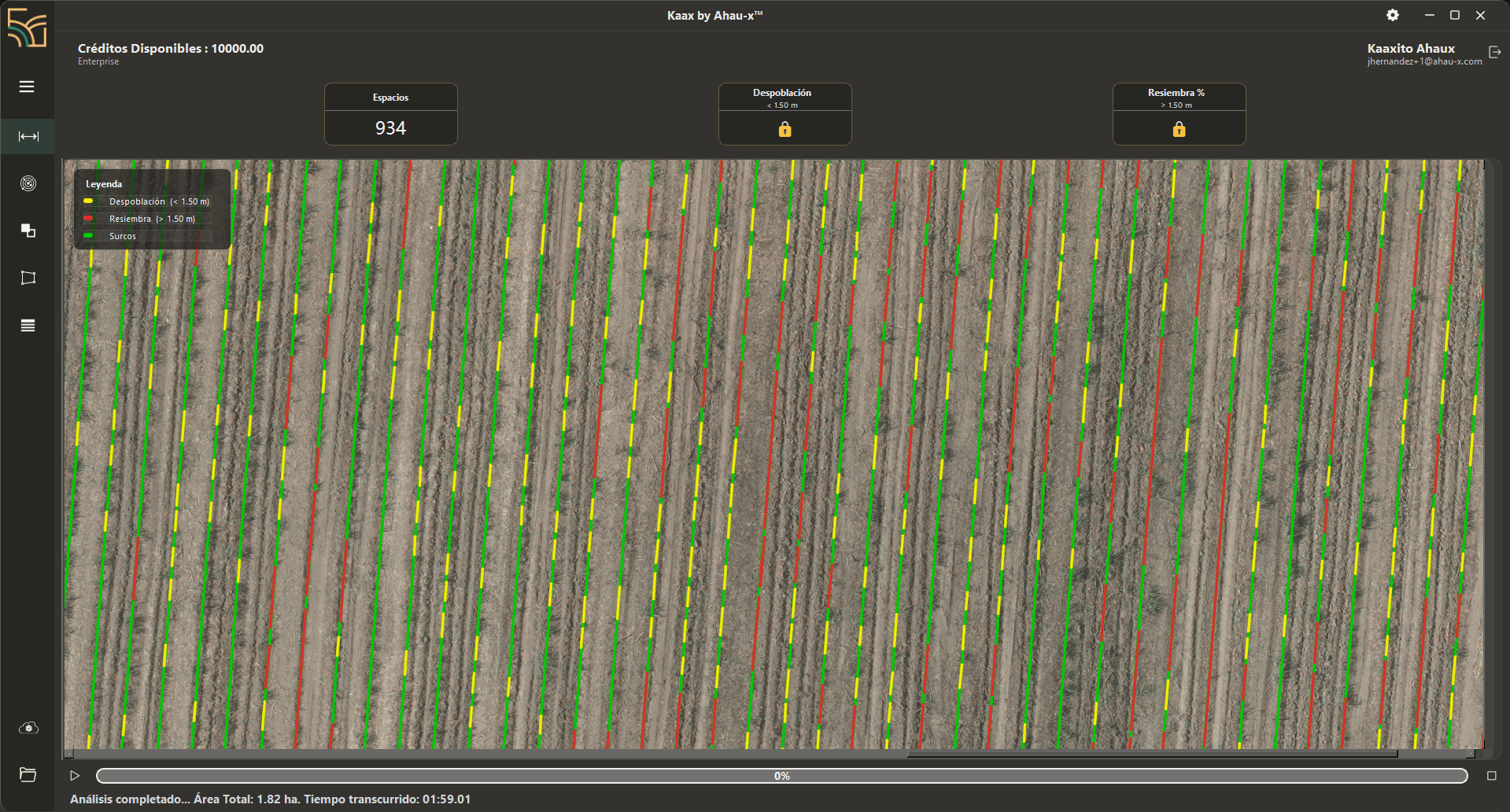
You load a multi-gigabyte TIFF and the app cuts it into 512 px tiles, discarding the black corners of the orthomosaic on its own. You split the batches across your team, each person labels theirs with keyboard shortcuts, and progress rolls up per annotator and per class.
- Automatic tiling and empty-area filtering
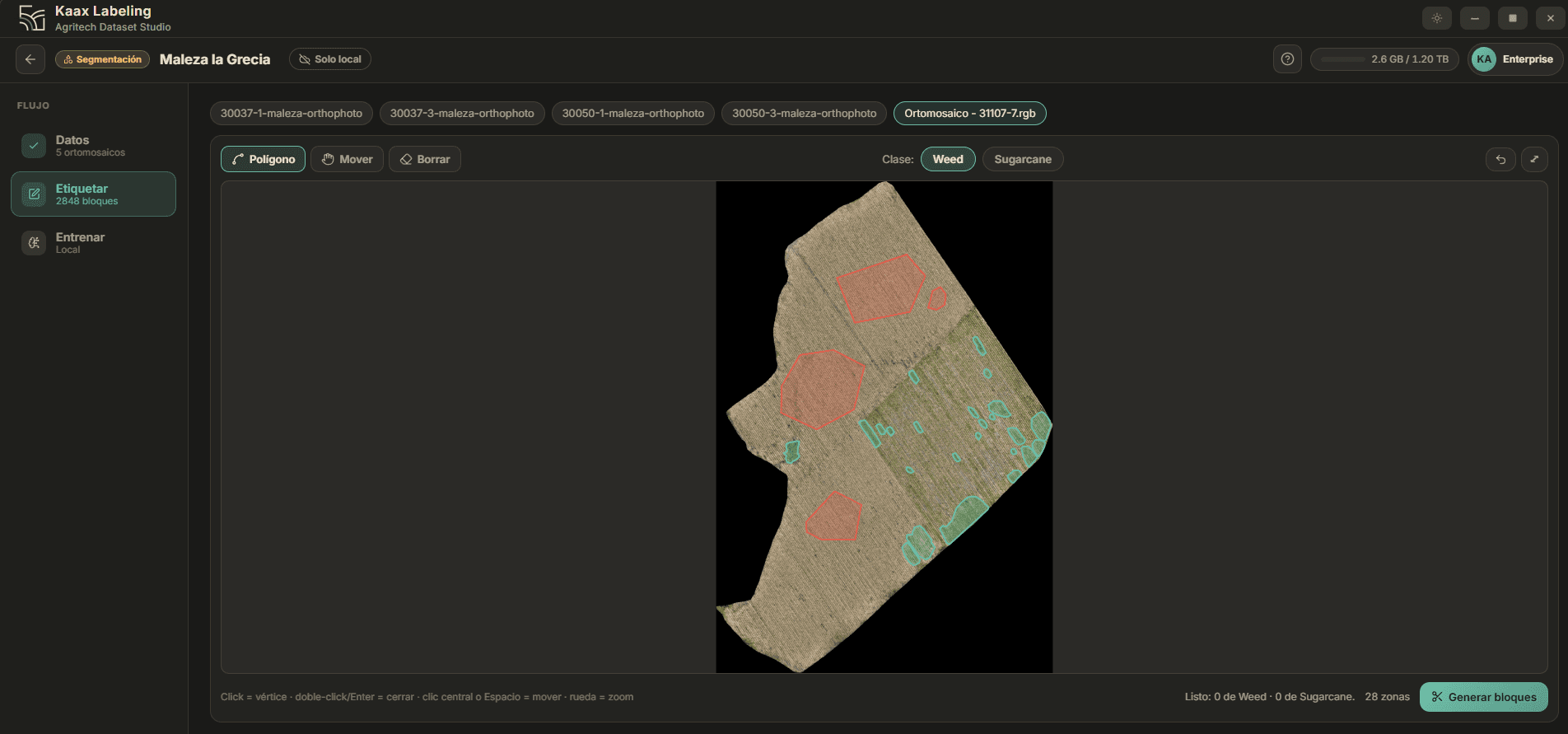
- Boxes for counting, polygons for segmentation
- YOLO and SAM assistance: the app proposes, you correct
- Batches assigned per user, with counts per annotator and class
- Cloud sync between collaborators
- Exports a YOLO dataset with train/val/test splits
Team labeling
Split the work and see who is where
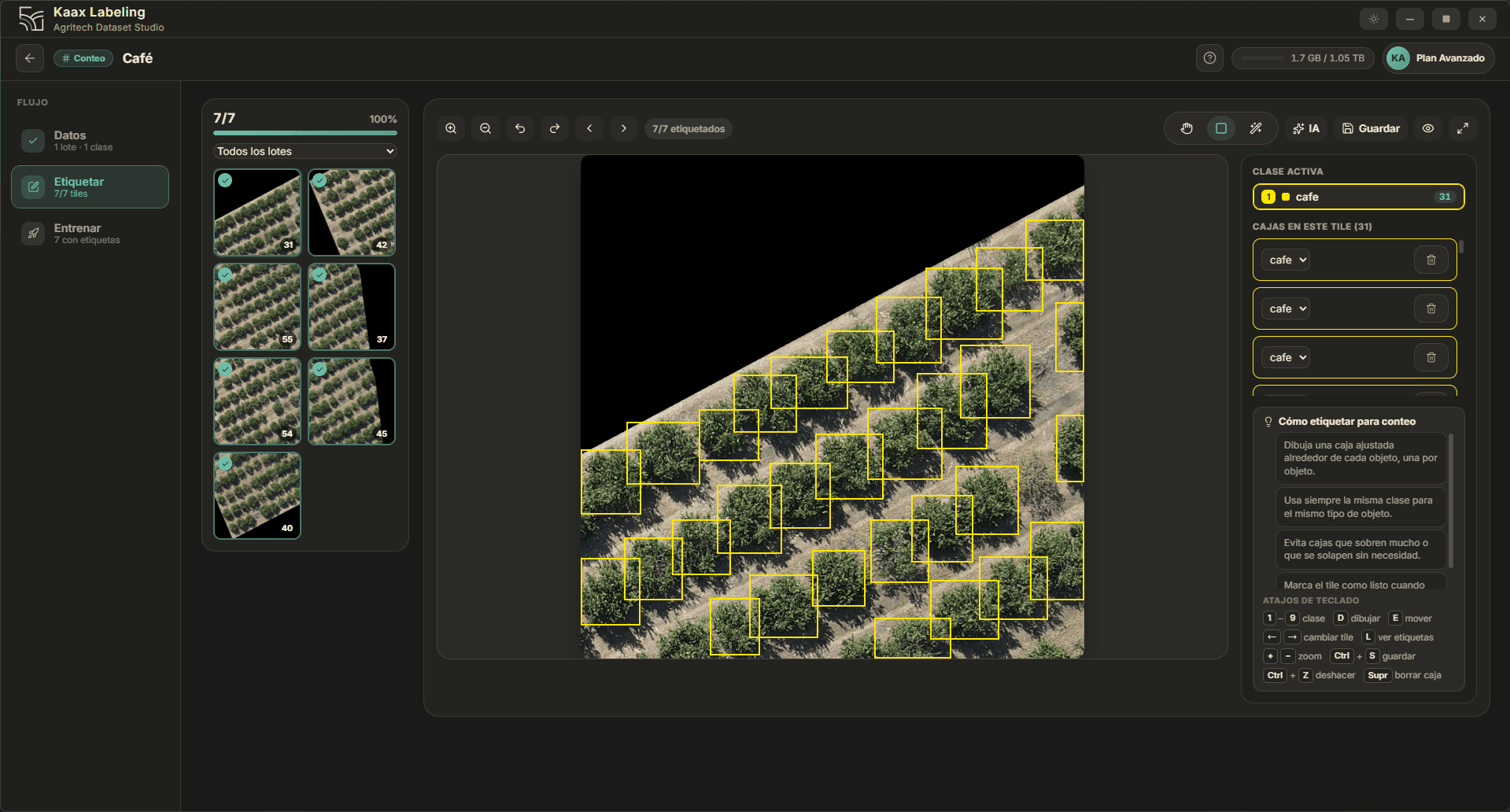
A project breaks into conditions — what you want the model to learn to see — and each condition carries a contracted target. That target is split into batches of images, and each batch is assigned to a person. Progress rolls up per annotator, per batch and per class, so at any moment you know how much is left and who is doing it.
- Conditions with a fixed target, editable with history
- Image batches assigned to each team member
- Progress rolled up per annotator, batch and class
- Everyone works on their own machine and syncs through the cloud
- The annotator's name is kept even if they later leave the team
Conditions
Team
- JM0labels
Juan M.
Batch 03 · Coffee
- AR0labels
Ana R.
Batch 07 · Coffee
- LC0labels
Luis C.
Batch 11 · Banana
The live target is the sum of the batches. It never recalculates itself.
Local training
You watch your model learn
Training runs on your machine and reports, epoch by epoch, the same metrics you would use in any serious computer-vision pipeline. It is not a black box that hands back a file: you watch the curve climb and decide when the model is good enough.
- mAP@50 and mAP@50-95 epoch by epoch
- Precision and recall live during the run
- YOLO training for detection, ResNet for segmentation
- Uses your GPU if you have one, CPU if you do not
- The trained .pt uploads itself and shows up in Kaax Desktop
Época 0/24
0%Entrenando localmente. Sigue el progreso abajo.
SAM-assisted fields
You draw a field in seconds, not half an hour
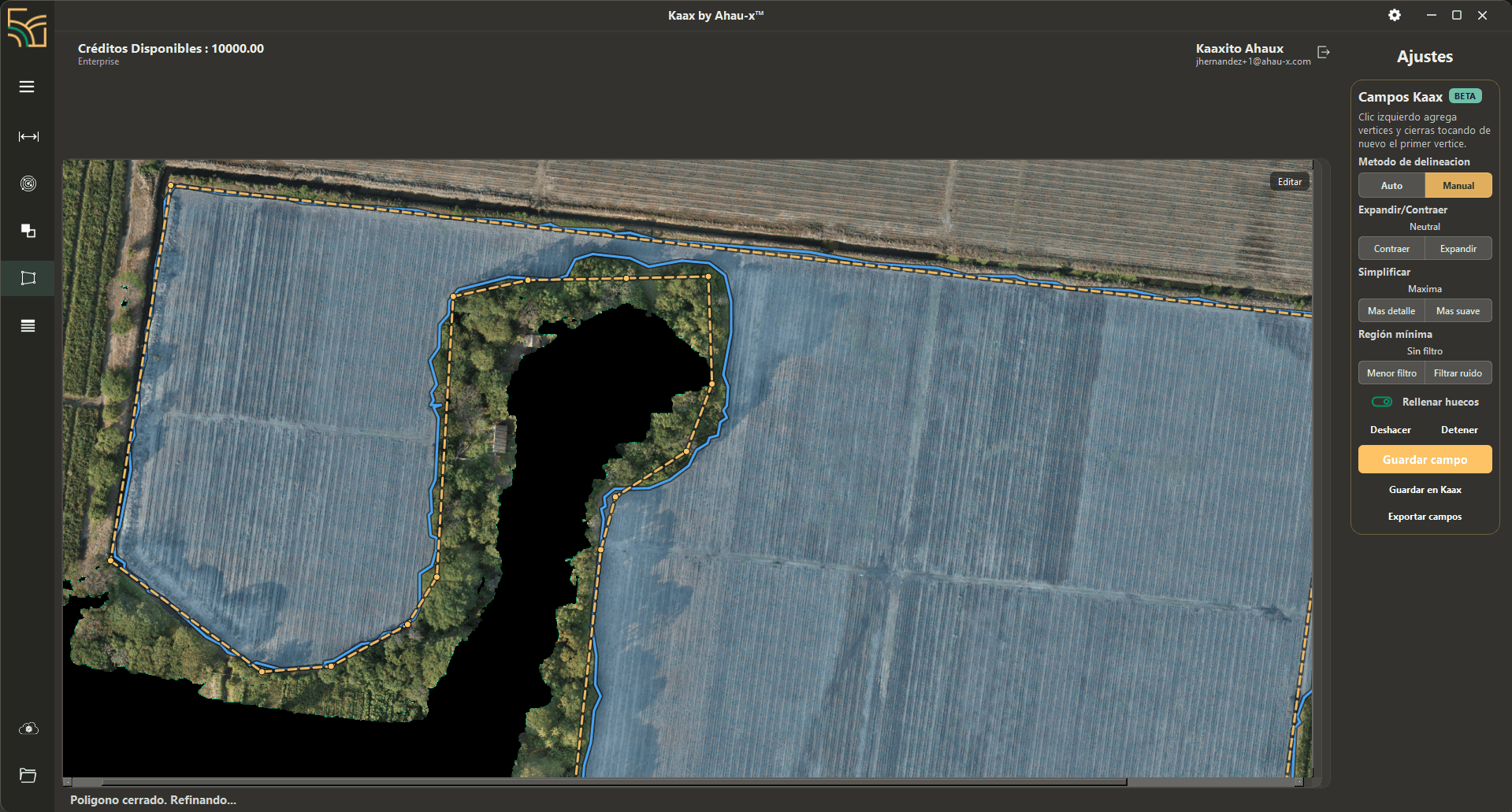
Segment Anything proposes the field outline over your orthomosaic and you adjust it with real controls: expand or contract the edge, simplify more or less, filter noise, fill holes. The polygon follows the tree line and leaves the no-data areas out. Then it saves to Kaax or exports.
- Automatic delineation with SAM, or manual vertex tracing
- Expand, contract and simplify the edge without redrawing
- Minimum-region filter and hole filling
- Saves straight to your account or exports the fields
- The field comes out georeferenced and ready for the queue
Kaax Desktop
Geospatial processing on your machine
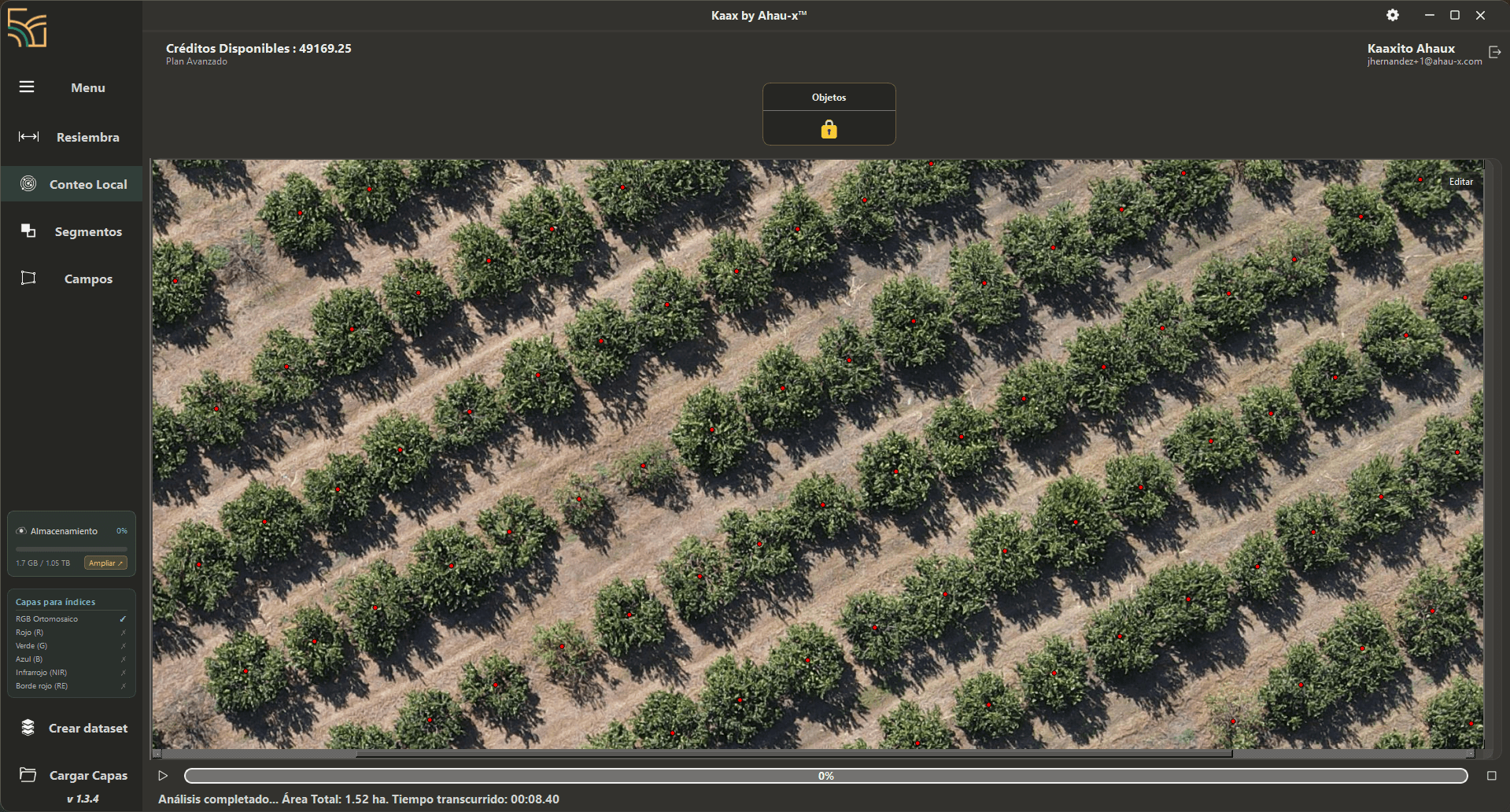
Your flights weigh gigabytes and never have to reach a cloud. Kaax Desktop runs replanting, counting and segmentation locally and returns only the results to your account. Field polygons are refined with SAM, and everything exports in the formats your operation already uses.
- Replanting and counting with YOLO, segmentation with ResNet
- Vegetation indices over 4- and 5-band multispectral imagery
- NDRE and LCI when your camera carries red edge
- Size classification for every detection, in square metres
- Row-backbone detection from the image's own brightness profile
- Exports KML, XLSX, GeoPackage and GeoPDF
Processing queues
Set the queue and walk away
Queue as many lots as you want and the machine works alone. The queue groups steps by raster, so a multi-gigabyte TIFF opens once even when three analyses depend on it. If a step fails it is flagged and the queue carries on — one lot does not cost you the whole run.
- Queue dozens of lots and close the session
- Matches each lot to its TIFF by geometry, not by proximity
- Grouped by raster: a multi-gigabyte file opens once
- A failed step does not stop the rest
- If the run is cut short it resumes, skipping what finished
- 30037-3 · CountingRunning
- 30050-1 · ReplantingQueued
- 30112-2 · SegmentationQueued
- 30118-4 · CountingQueued
- 30124-1 · ReplantingQueued
0 analyses uploaded. The queue keeps going.
One loop, not two separate programs
You label once, you train a model, and that model processes every flight that follows. When the crop changes or a new problem shows up, you label another one and the loop starts again.
- 01
Label in Kaax Labeling
- 02
Train and watch the metrics
- 03
Kaax Desktop runs the queue
- 04
Results reach your dashboard
Start with your first model.
Create your account, request access to the apps and train a model with your own imagery.
Create an account